A design lab inside any web page
- Role
- Product designer & builder
- Team
- Solo, with AI coding agents
- Timeline
- Apr – Oct 2026
- Platform
- Chrome extension
Problem
Trying a design idea on a live page meant DevTools plus a pile of separate tools.
What I did
Designed and built one extension that puts them on the page, then priced and shipped it solo with AI agents.
Result
579 users, a 5.0 rating, 17 releases in 6 months, and real Pro purchases.
Problem
DevTools is built for debugging, not for trying ideas
I wanted to try a change on a live page, like a color, some padding, a font, or a headline, then capture just that element. Each step lived in a different tool.
- Why
- Built for designers first, and for design engineers and developers who build with AI.
Before: one idea, many tools
- DevTools
- Font identifier
- Color picker
- Spacing ruler
- Screenshot tool
- Code export
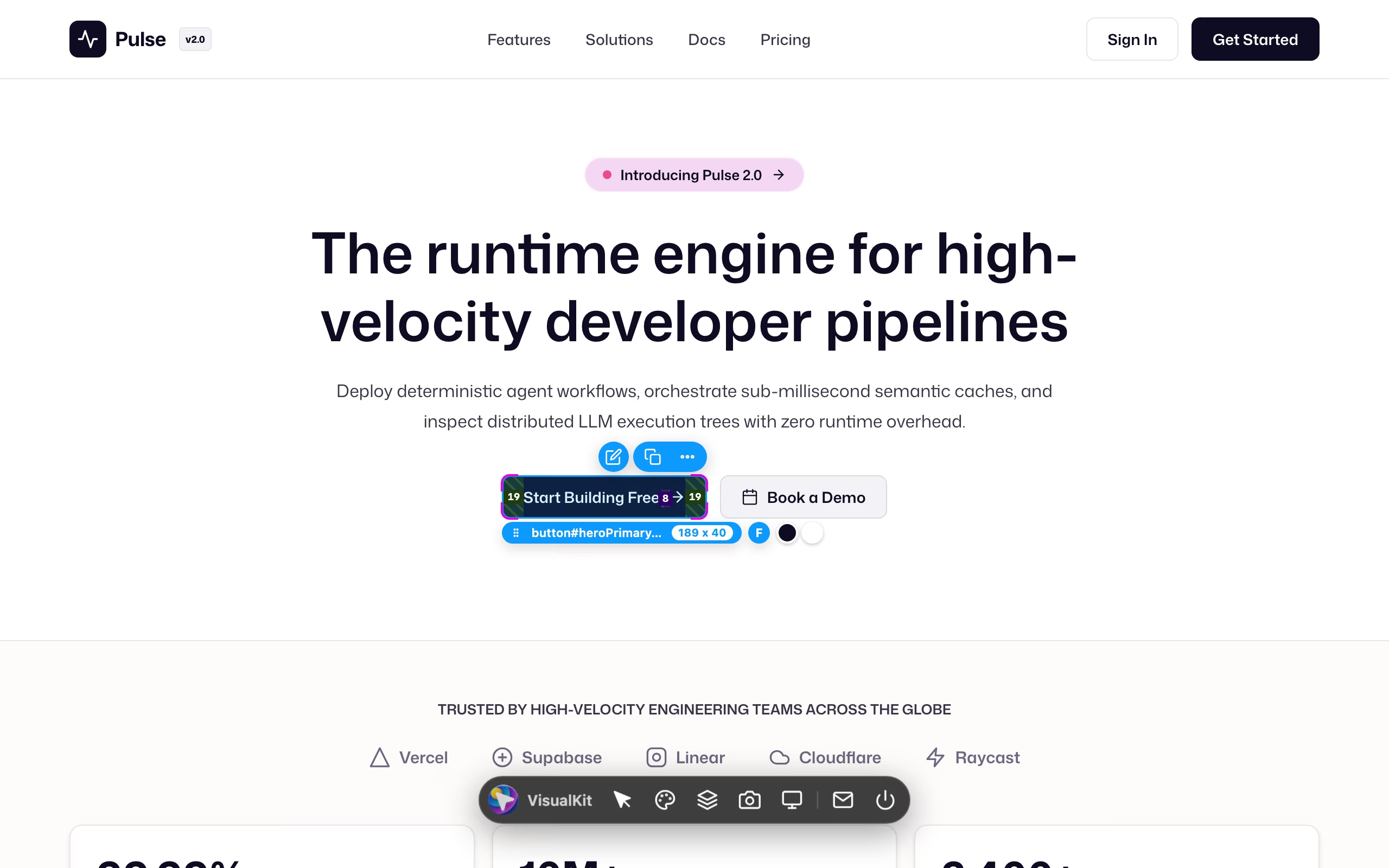
After: one HUD on the page
Inspect, edit, and capture without leaving the element you're looking at.
Decisions
So I put the tools on the page itself
A floating HUD keeps the tools next to the element and your eyes on the design. Every frequent action has a keyboard shortcut.
- Why
- DevTools squeezes the window, and undocking it makes switching clumsy.
- Trade-off
- Many tools in a small HUD. Grouping the menus took many rounds.
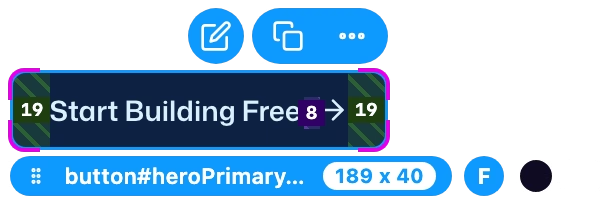
- 1Quick actions: edit, copy, more
- 2Selected element with its spacing
- 3Selector and size, one click to copy
- 4Colors used by the element
Decisions
A user showed me where I was wrong
Early versions captured every click, so links and menus didn't work. I had rejected a pause button, since you could already turn VisualKit off.
- Why
- A user's case made sense: turning everything off just to click a link is too heavy.
Impact
- Selection toggle (Shift+X) shipped in v1.2.0
Apr 2026 · first build
Undo, redo, reset, and off. Every click was a selection, with no way to pause.

Jun 2026 · v1.2
A selection toggle at the front: solid while selecting, outline when paused.
Oct 2026 · v1.5.7
Responsive preview joined the toolbar. Undo and redo now appear only after you change something.
Decisions
Edit the system, and the page follows
Style Studio reads a site's colors and type scale and lets you change them globally, so you can test a whole visual direction in seconds.
- Why
- Designers think in systems, and AI agents need one to build from.
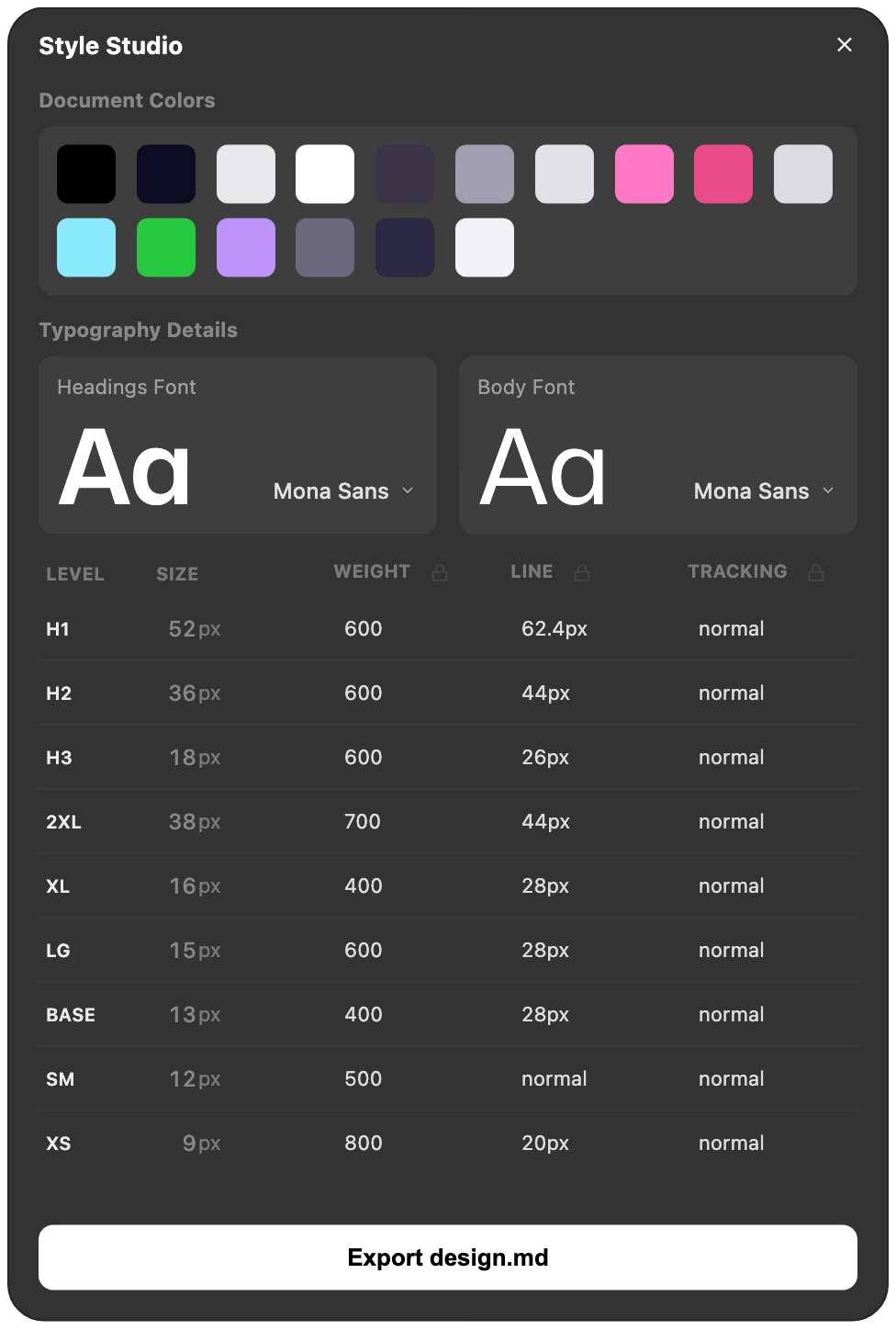
- 1Every color used on the page
- 2Heading and body fonts, swappable
- 3The full type scale, editable
- 4Export as design.md for AI agents
Decisions
Free to try, then pay once
Six days free, with a countdown in the toolbar. After that, the core tools keep working in a limited mode, and a one-time $12 license unlocks Pro.
- Why
- People should get real value before being asked to pay.
- Trade-off
- Most similar tools charge monthly. Paying once is an easier yes, but less recurring revenue.
Impact
- ~24% of started checkouts completed
1Free trial
A countdown appears once the logo folds away.
2Limited mode
Pro tools become a “Go Pro” entry point.

3Upgrade
One clear offer, no monthly fees.
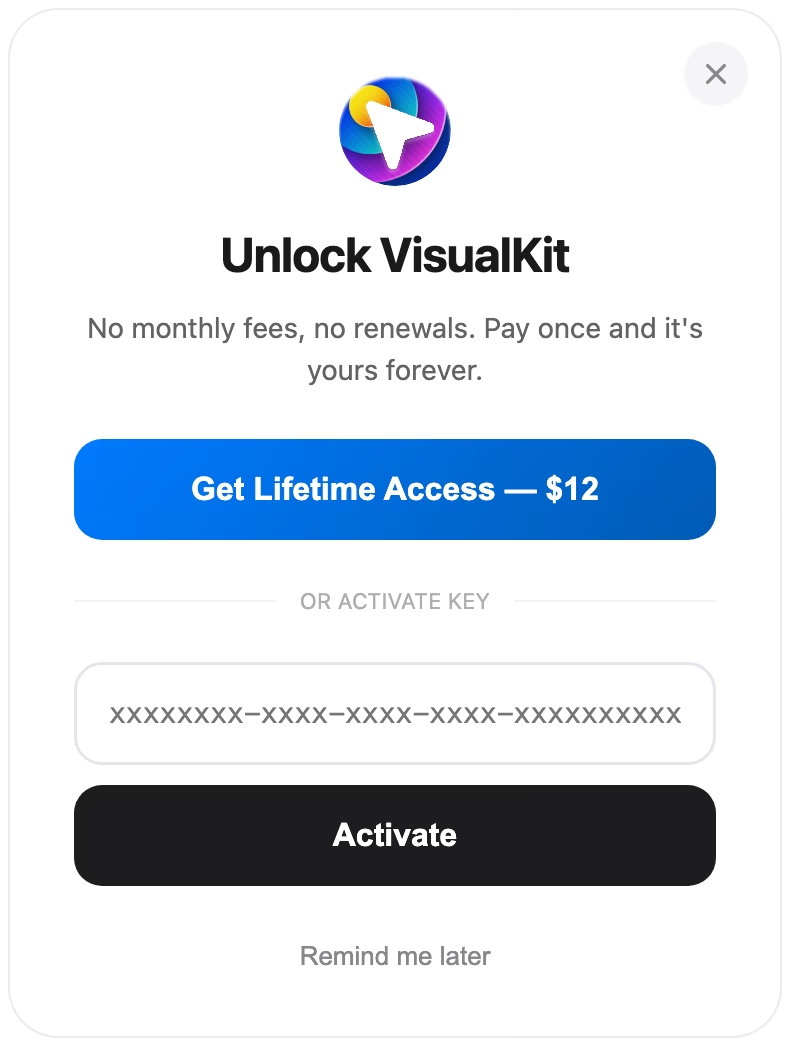
4Pro
Everything unlocks, permanently.
Build
I own the experience. AI writes the plumbing.
I designed and built VisualKit alone, with AI coding agents as my engineering partner.
Impact
- 164 commits
- 17 releases in 6 months
MeDecisions I always make
- Every visual and interaction decision
- Menu grouping and HUD behavior
- Pricing, limited mode, branding
- Final polish of UI and details
AI agentWork I hand off
- Functional code, to best practice
- First drafts when I'm unsure
- Edge-case review before every release
- Refactoring into modules
01
Decide
How it should feel
02
Draft
Agent builds it
03
Refine
I polish UI and flow
04
Review
Agent checks edge cases
05
Ship
Only when it's clean
Results
579 users and a 5.0 rating, launched solo
VisualKit went public on the Chrome Web Store in May 2026, with a trial and a Pro license.
Users
579
Rating
5.0
From 4 reviews
Releases
17
In 6 months
Pro license
$12
One-time payment
“The visual CSS editing is smooth, and being able to extract design systems for AI agents is a total game-changer.”
“Beautiful UI, and very easy to use like a devtool.”
Learnings
Building was the easy part
Users peaked near 800 and settled around 580. Turning free users into paying ones is still the open problem.
01
All-in-one is hard to sell
“One product, one job” is easier to explain and adopt.
02
The store is part of the design
Reviews, rejections, and Manifest V3 rules shaped the product.
03
Plan the launch with the build
I spent my energy on the product and had little left to launch it.
Next: a short uninstall survey, interviews with paying users, and splitting big ideas into focused extensions.